Using parts from inventory:
Note that a parts “Use” is directly associated with a work order (WO).
Using parts can be done one of two ways:
| 1. | Directly through the Usage Button on the Parts screen. This requires manually entering the WO number. |
| a. | From the Parts / Detail tab: Click on the “Usage” button |
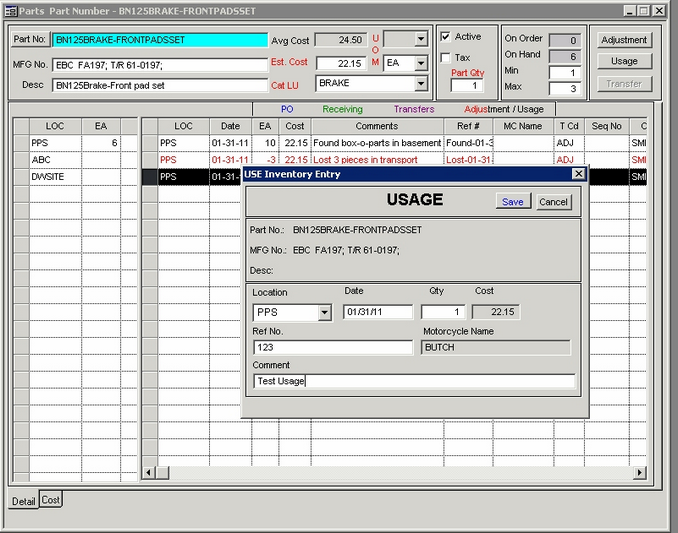
| b. | Select Location, enter date and Qty used, Enter a valid WO No. in Ref No. field, add comment, click on “Save” button: |
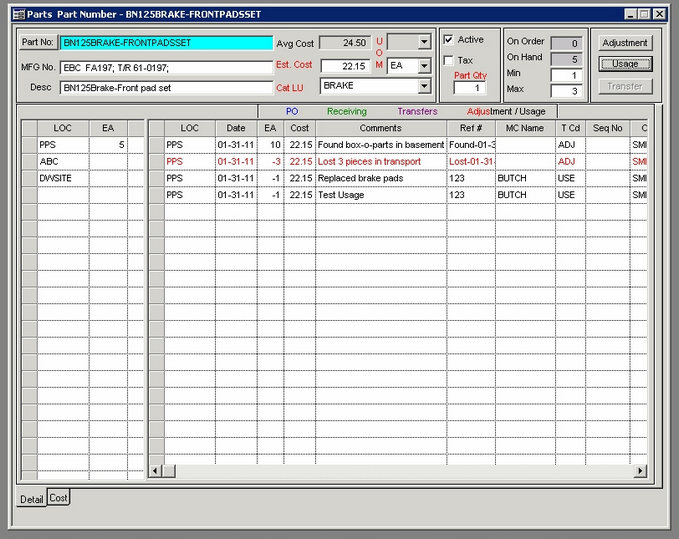
| c. | Note the screen and Usage detail updates: |
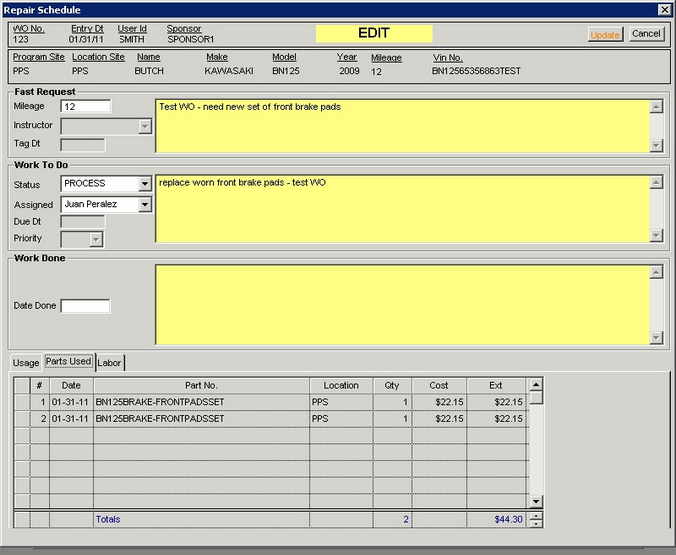
| d. | Note the updated info on the WO: |
-------------------------------------------------------------------------------------------------------------------------------------------------------------------------
2. Through the Usage tab in the WO itself: See "Add Parts to WO" by clicking HERE.